Save from your playlist.
Watch anywhere.
StremoTV can now save movies and whole seasons from your own playlist to your phone, tablet or Android TV box — so you can keep watching on a flight, on the road or wherever the signal drops.
infoStremoTV is a media player and never provides content. Save only content you have the right to download from your own provider.
Real app recording · demo content made by us
Three taps to offline
No setup at startup. StremoTV only asks where to save the first time you tap Download.
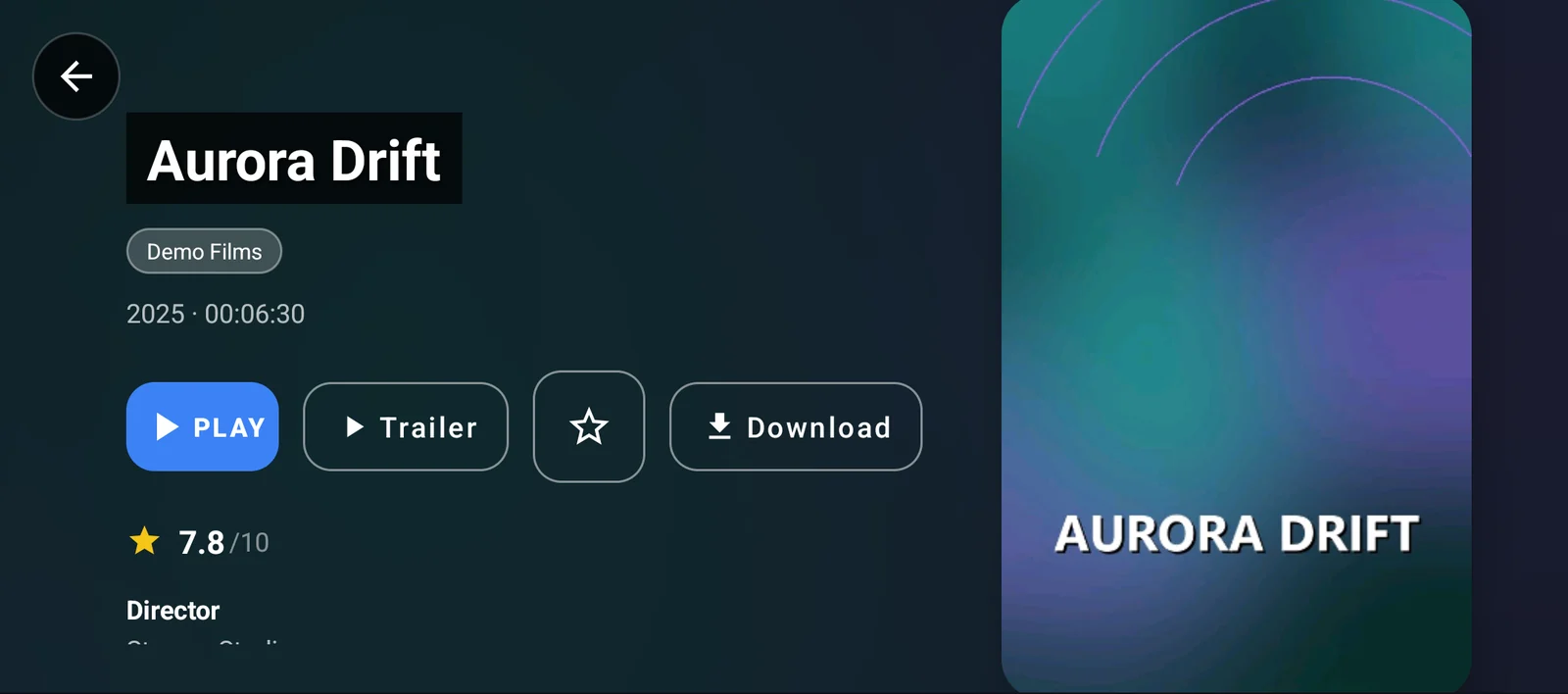
Tap Download
Open any movie or episode from your playlist and tap Download — or download a full season at once.
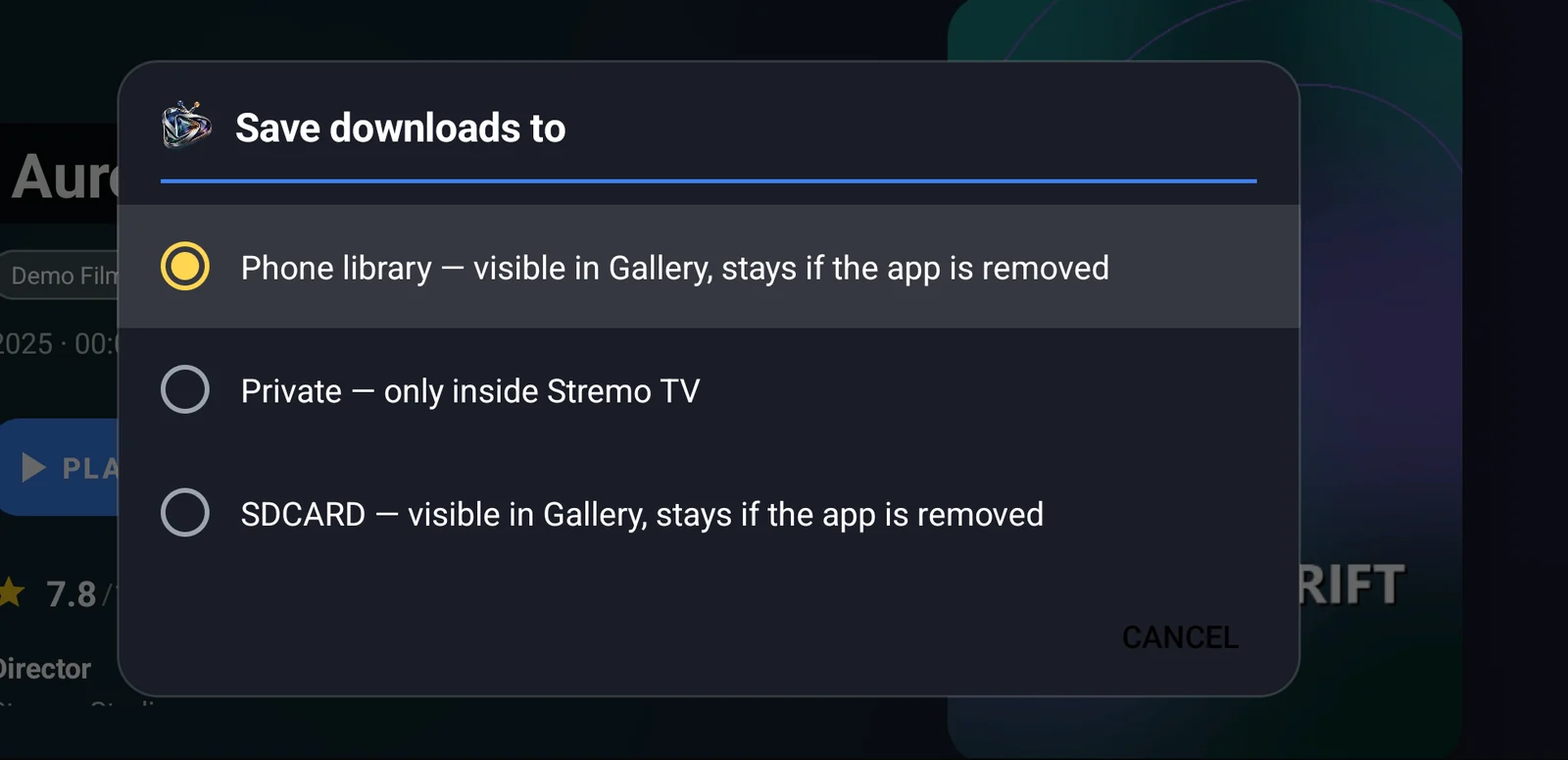
Pick where & how
Phone library, private inside the app, or SD card. Then choose Wi-Fi only or Wi-Fi and mobile data.
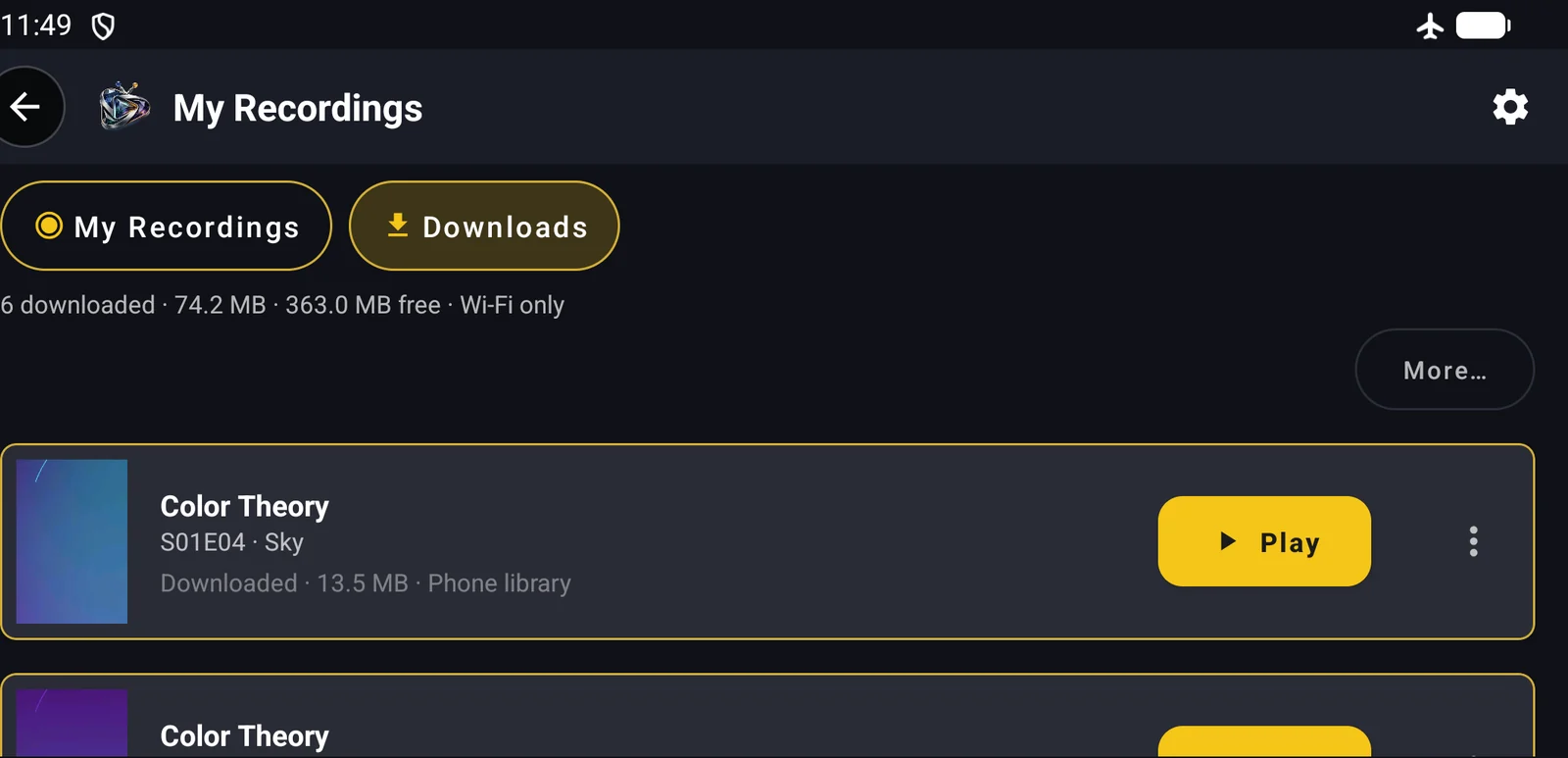
Watch offline
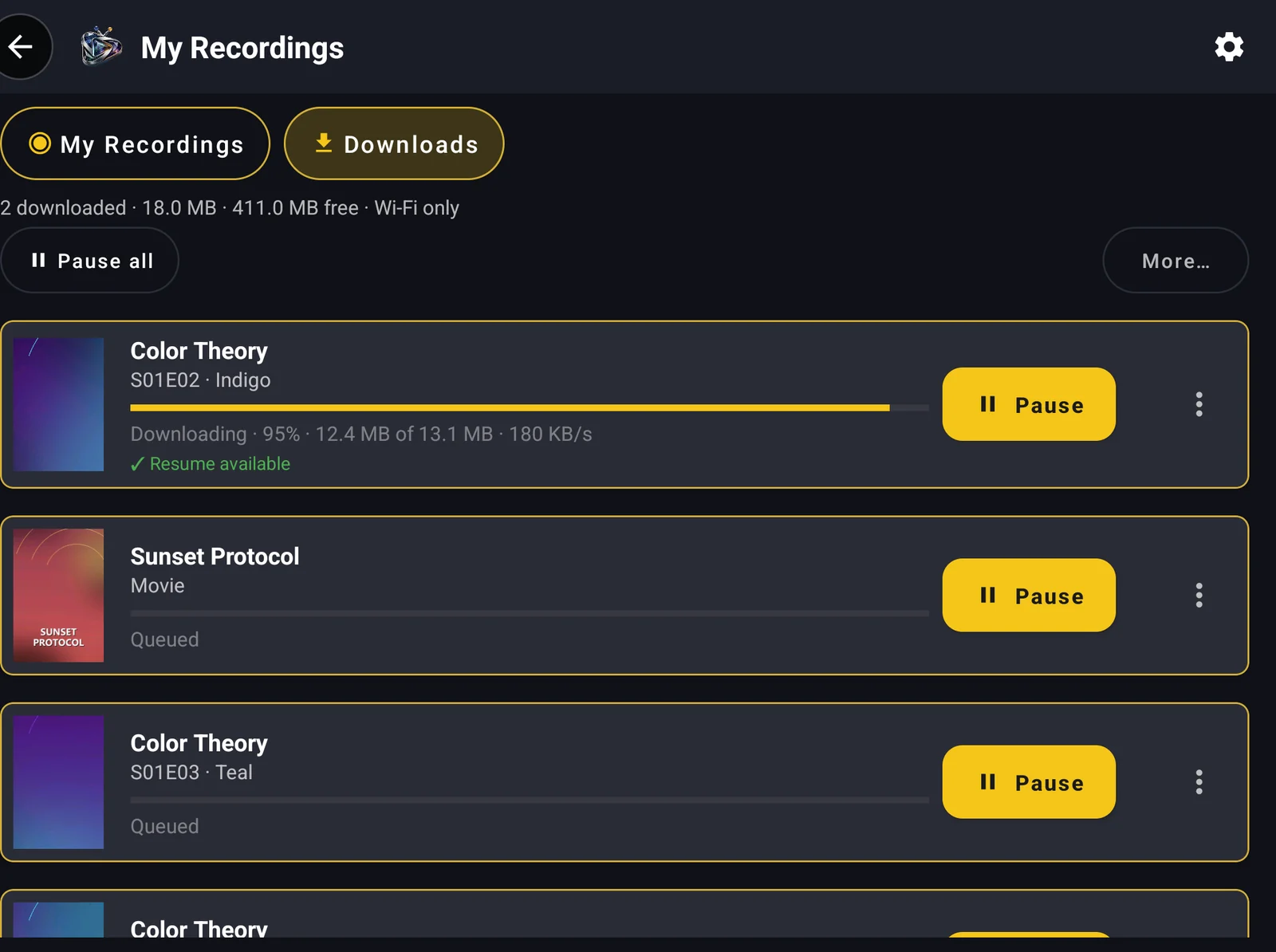
Everything sits in My Recordings → Downloads. Tap Play — even in airplane mode.
Downloads that don’t give up

Whole seasons
One tap queues every episode of a season. They download one after another, and the next episode starts by itself when one ends.

Resumes after drops
Lost signal at 70%? StremoTV picks up where it stopped and checks the file, so a bad connection never leaves you with a broken video.

Pauses while you watch
Downloads step aside while you stream, so playback stays smooth and your provider’s connection limit is respected.
Private or in your gallery
Keep files private inside StremoTV, or save them to the phone library so they stay even if you remove the app.

Wi-Fi only & SD card
Protect your data plan with Wi-Fi only, and send big files to an SD card or USB drive where your device allows it.

A real player offline
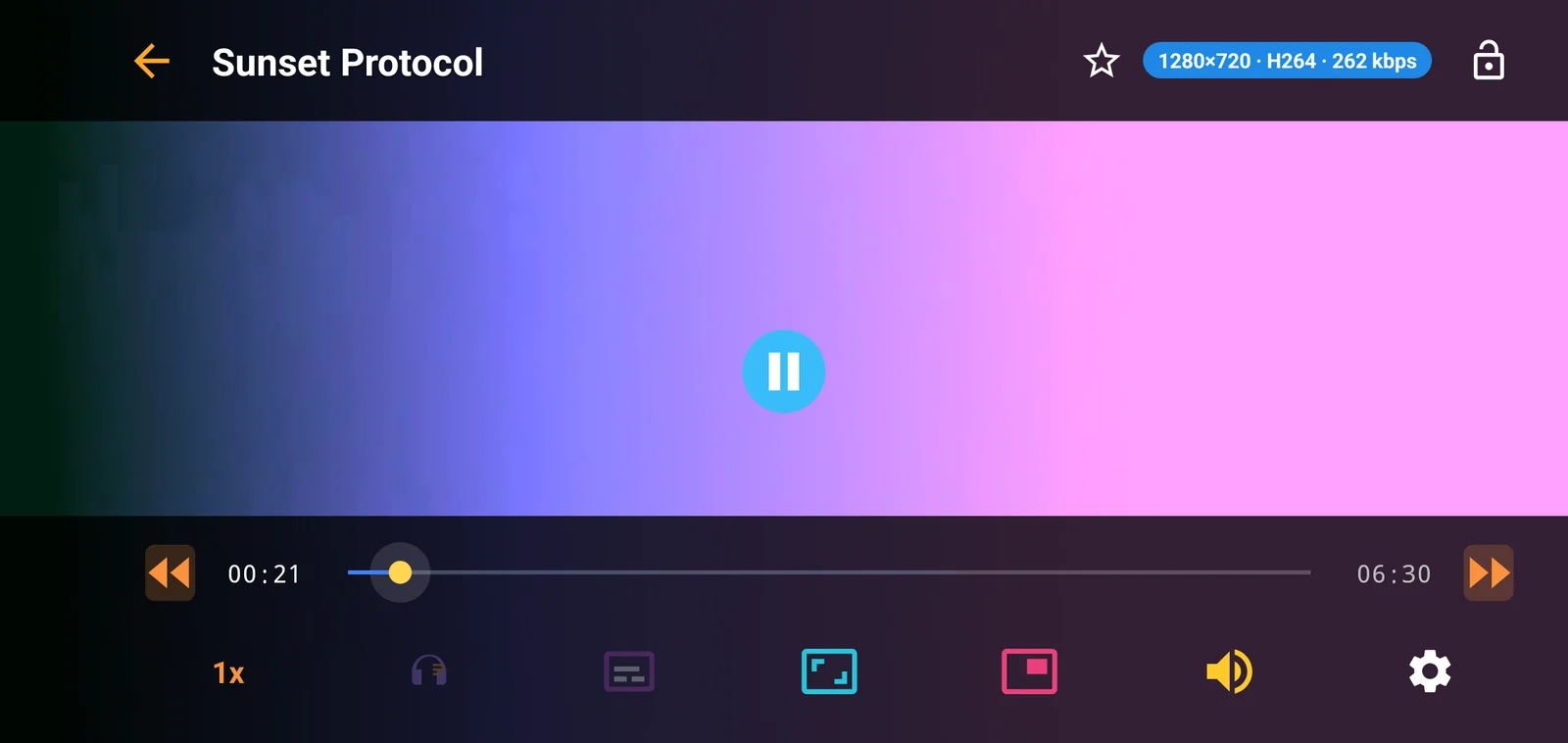
Seek bar with start and end time, −10s / +10s buttons, speed from 0.5× to 2× and resume exactly where you stopped.
Where can I use it?
| Edition | Offline downloads |
|---|---|
| Android APK · from this website phones, tablets, Android TV, Fire TV | ✓ Included |
| Google Play | Streaming only |
| Windows · installer from this website | ✓ Included |
| Microsoft Store | With the next Store update |
Offline viewing FAQ

Take your playlist offline
Get the Android or Windows app from our website. Works on phones, tablets, Android TV boxes, Fire TV and Windows PCs.
infoMedia player only. Save only content you have the right to download.